Choose the comparison
Start with 7-day, 4-week, 42-day, 12-week or 365-day rolling windows; compare full weeks or year to date; or select current and completed seasons. Custom date ranges cover comparisons that do not fit a preset.
Compare two periods directly and keep the definition of each side visible. Choose a quick rolling or calendar comparison, enter custom dates, or use named seasons built around the way you train.
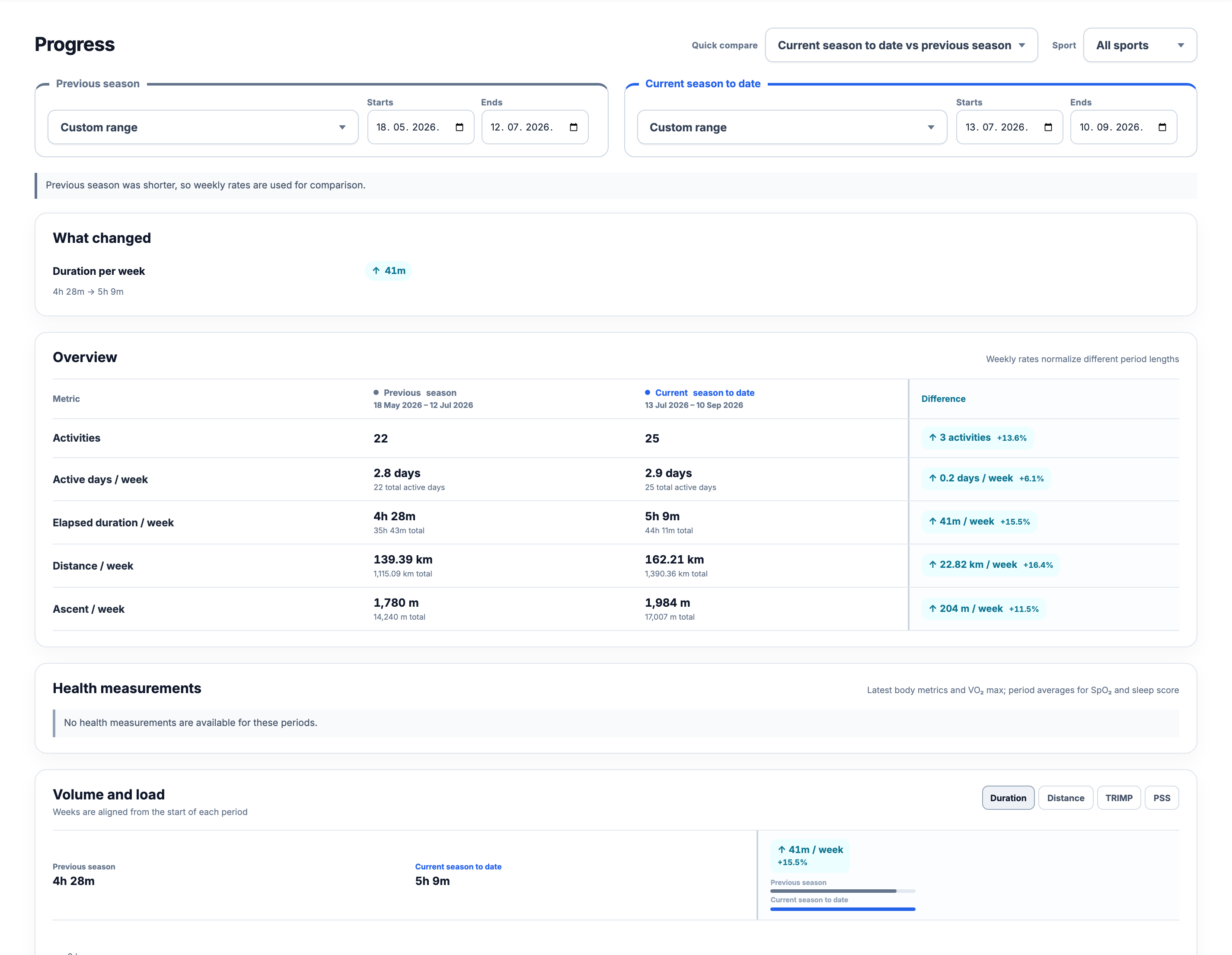
Start with 7-day, 4-week, 42-day, 12-week or 365-day rolling windows; compare full weeks or year to date; or select current and completed seasons. Custom date ranges cover comparisons that do not fit a preset.
Review activities, active days, weekly duration, distance and ascent, then compare Duration, TRIMP or PSS week by week. Filter the complete report to cycling, running, swimming, walking, hiking, strength or other training.
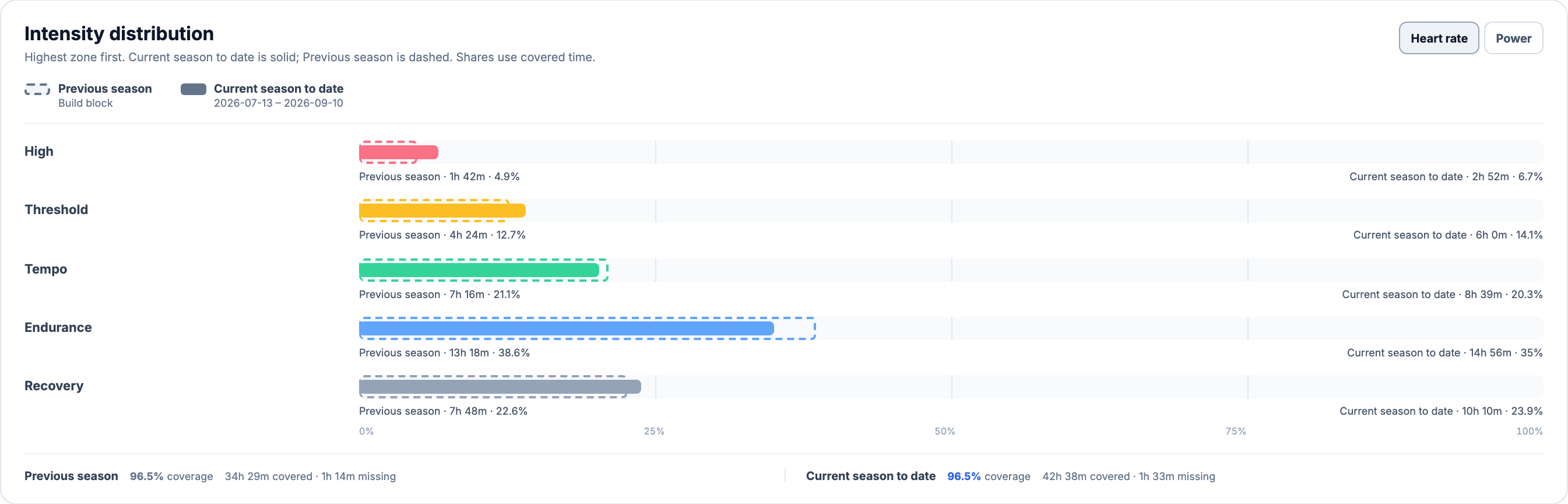
Health measurements stay separate from workload, while heart-rate and power-zone distributions show where recorded intensity shifted. Coverage and threshold changes remain visible beside the result.
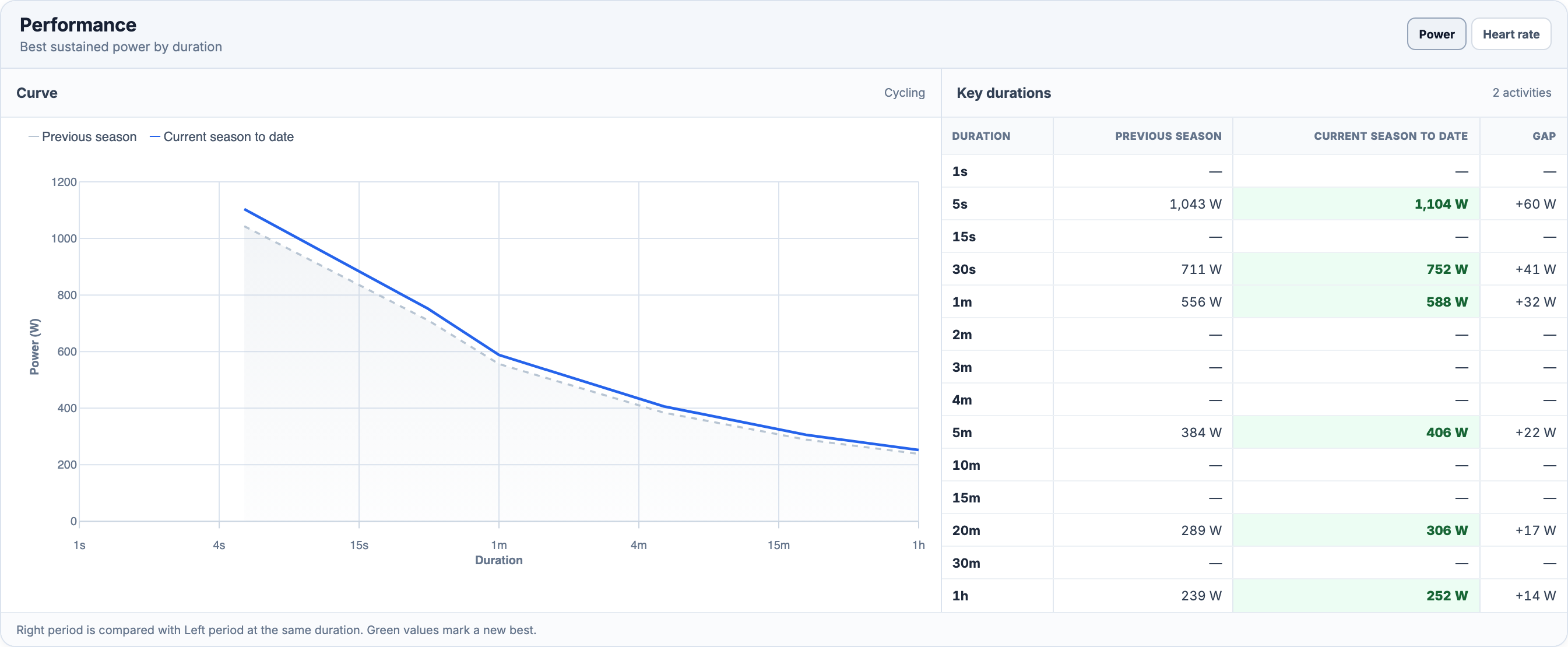
Inspect best sustained power, heart rate or running pace across supported durations. Each side links back to the activities in that exact range, and the complete comparison can be downloaded as CSV.
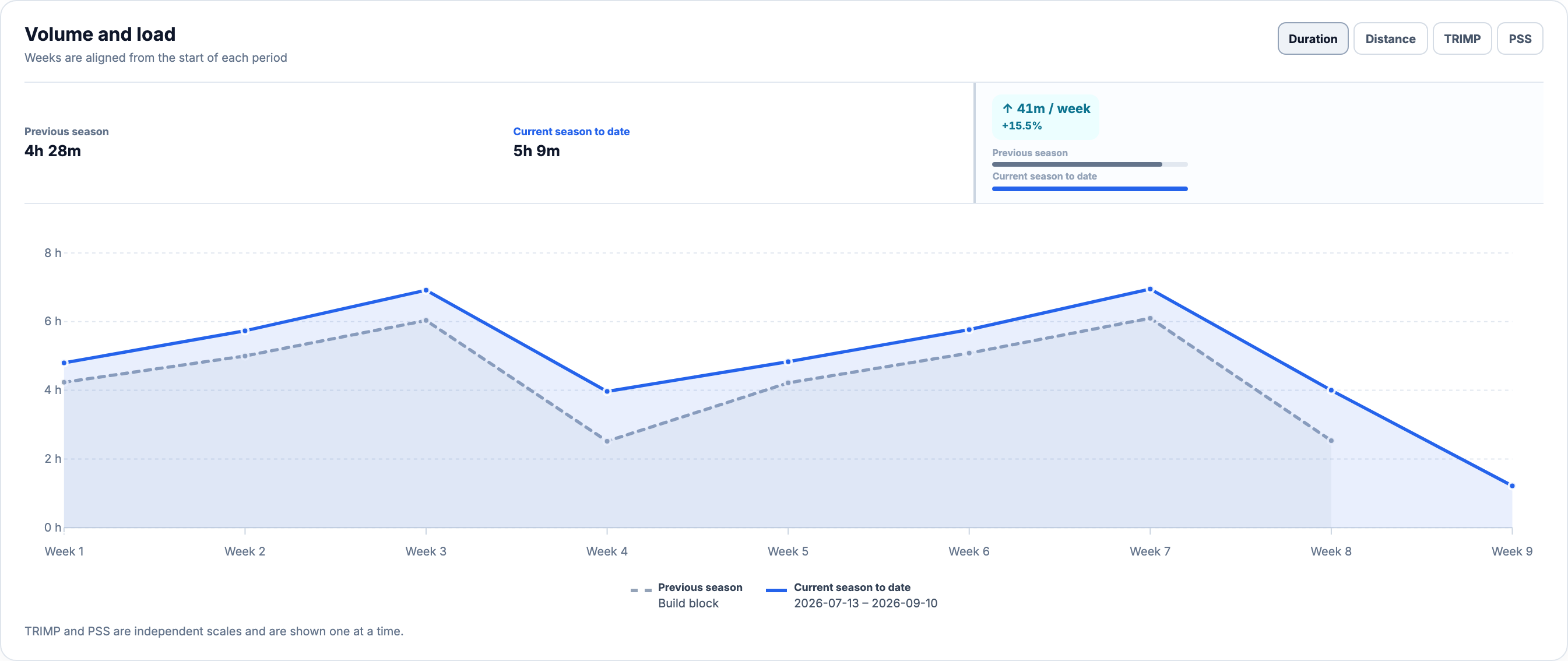
Aligned weekly charts compare one metric at a time and normalize summary rates when the selected periods have different lengths.
Compare heart-rate or power-zone shares with recording coverage and threshold caveats beside the chart.
Switch between supported power, heart-rate and pace views without losing the identity of either period.
Create an account, build a training history, and save the seasons or date ranges you want to compare.