Features
Calendar, workout planning, activity analysis, and longer-term load use the same training record. The screens below show what each part actually contains.
Training Calendar
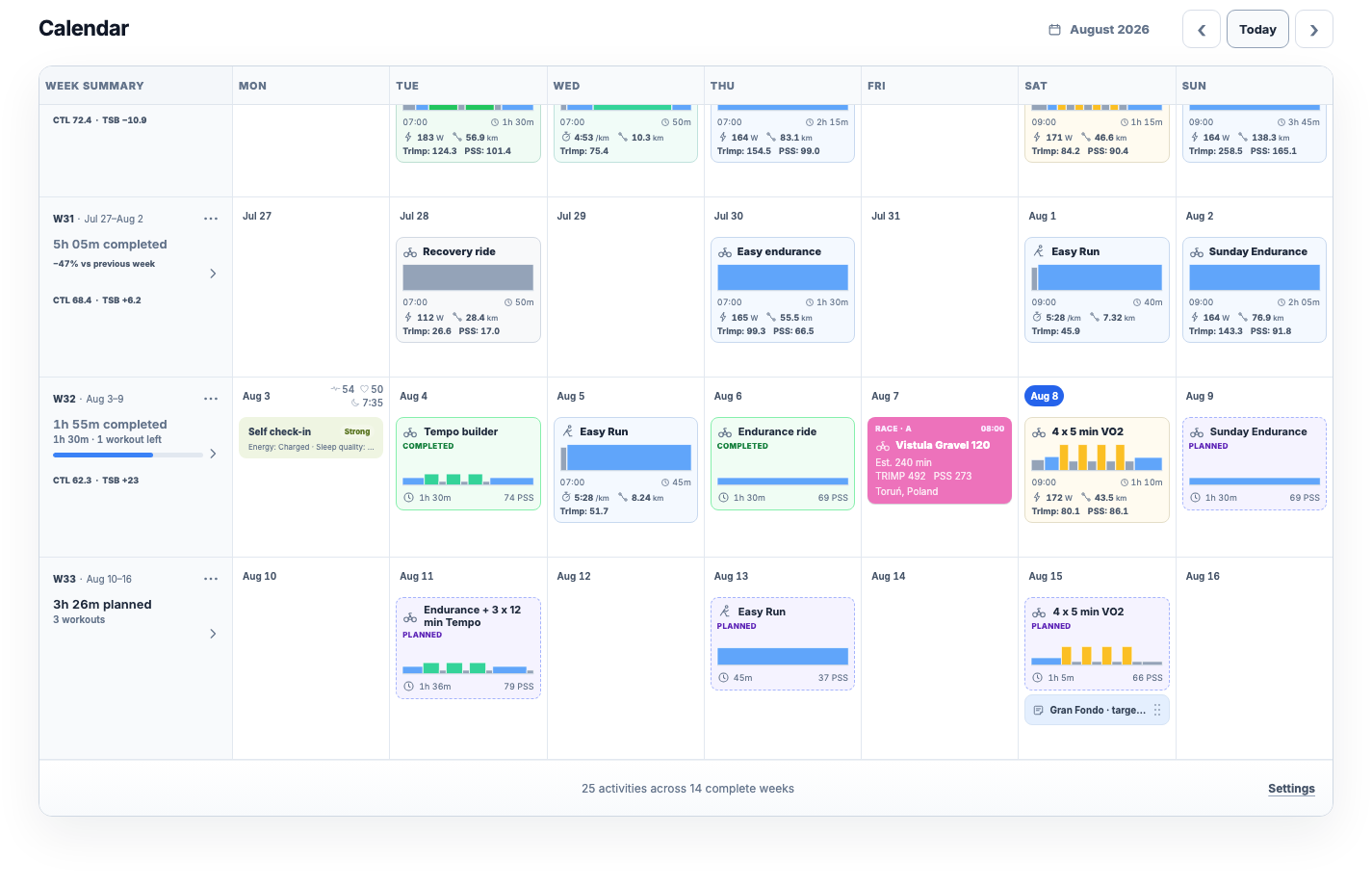
Keep planned workouts, completed activities, self check-ins, health measurements, availability, races, and weekly totals in the same record.
- Month and focused-week views
- Copy, paste, clear, and template a week
- Plan completion and weekly load
- Self check-ins and measurements
- Races, events, notes, and availability
Activity Analysis
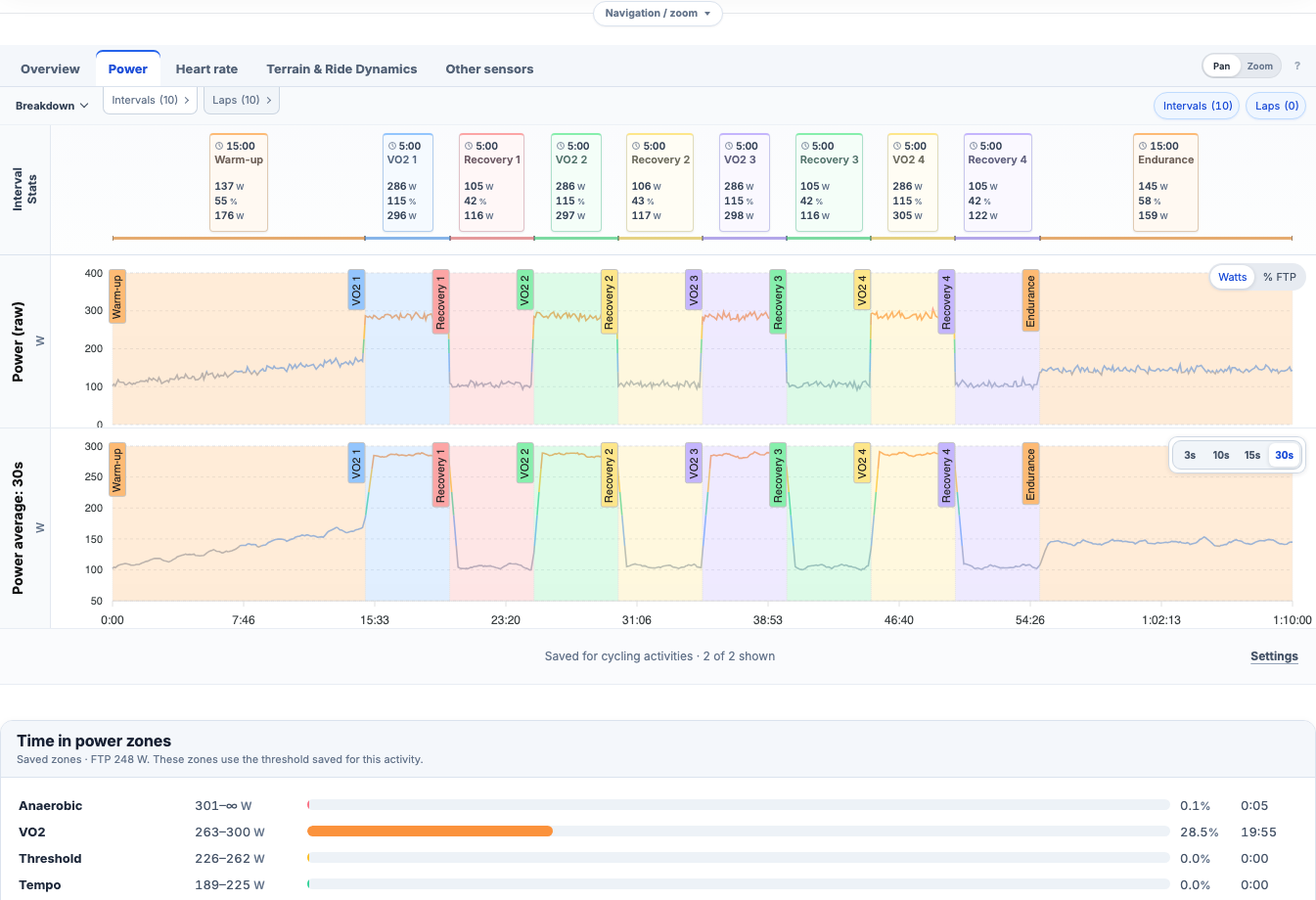
Open one ride or run and keep its summary, streams, efforts and analytical context together.
- Aligned sensor streams
- Intervals and laps
- Zones and best efforts
- Power and heart-rate curves
- Aerobic decoupling
- Map and elevation
Training Load
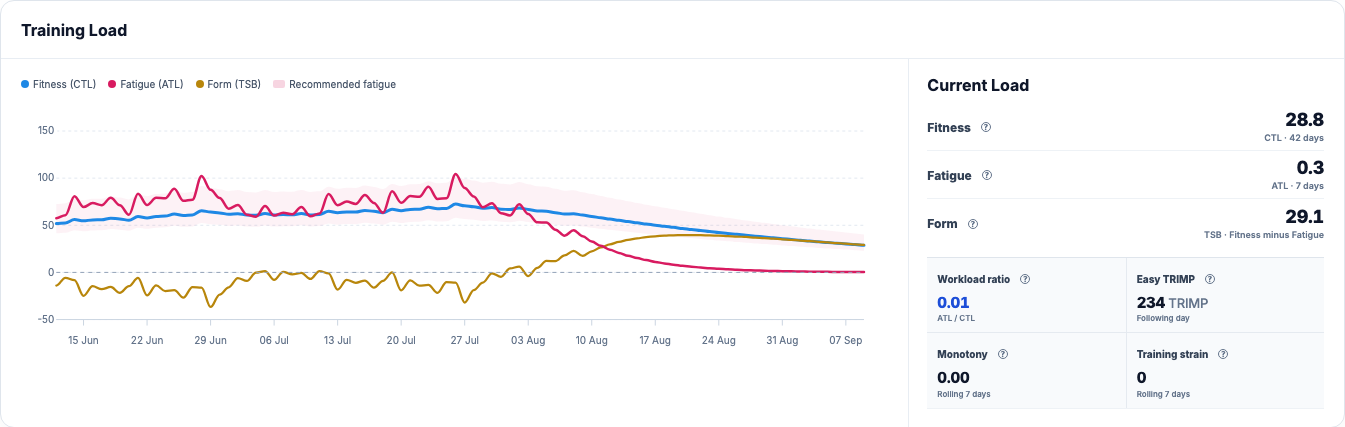
Follow what training is accumulating across days, weeks and months instead of judging progress from the last activity alone.
- Fitness and fatigue
- Form
- Training load curve
- Weekly and monthly volume
- Sport filters
- Intensity distribution
Workout Planner
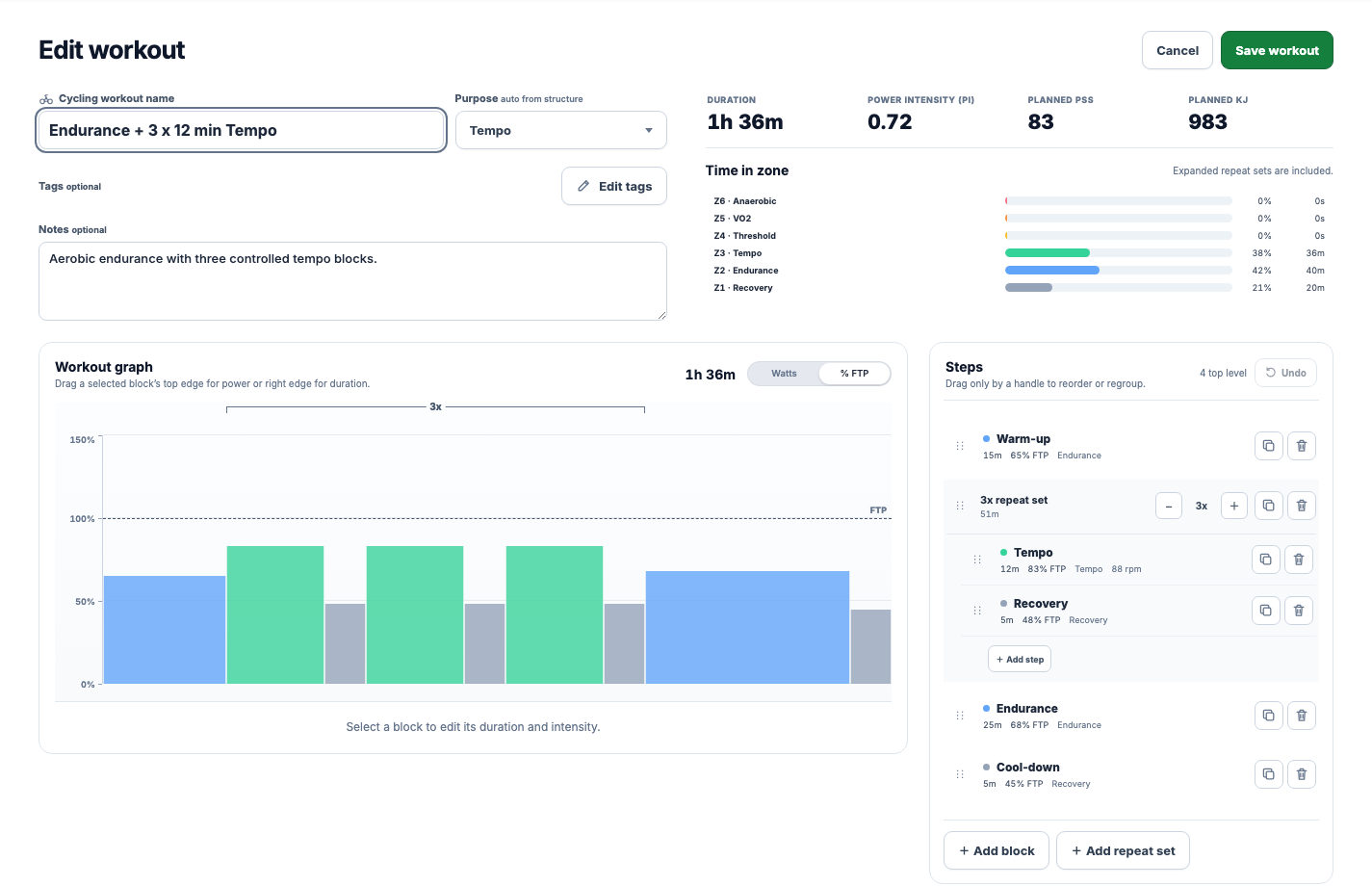
Create structured cycling and running workouts as readable blocks, then keep templates and dated sessions connected to Calendar.
- Visual interval structure
- Repeat sets
- Power and heart-rate zones
- Pace and RPE targets
- Reusable templates
- FIT and ZWO export
Start with your own training record
Create an account, connect a supported provider or import an activity, and keep planning from there.